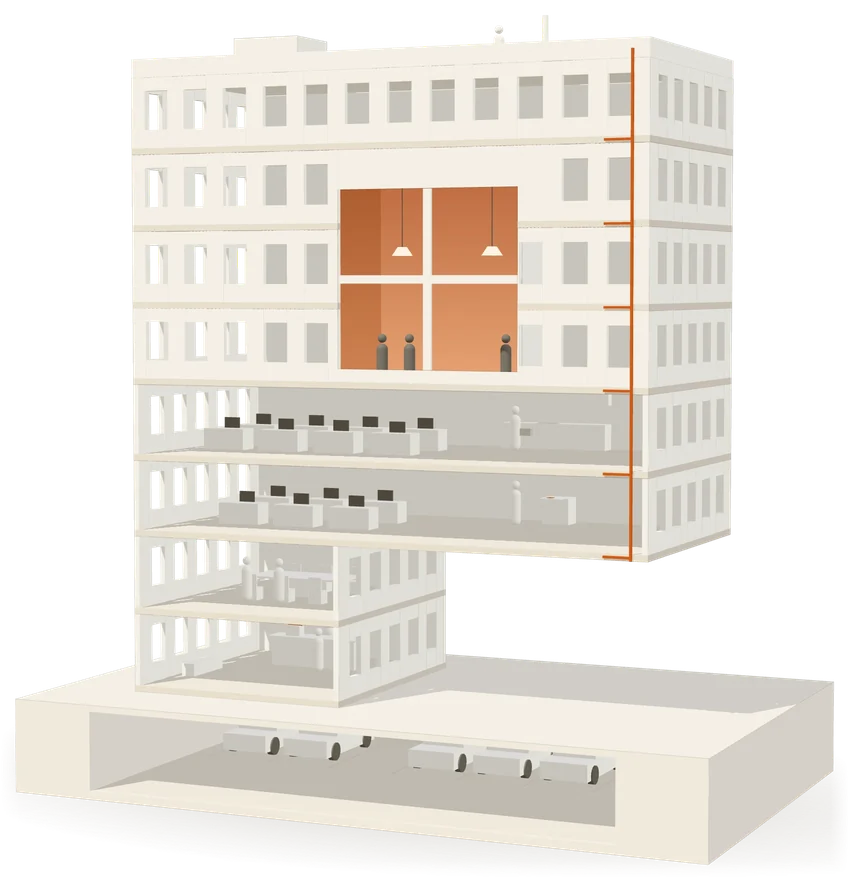
A day in the building.
Six floors. Each one leaves a record.
- B1Valet parking
- GVisitors and parcels
- 1Meeting rooms
- 2Accounts
- 3Repairs
- RShared costs

Property management for commercial and residential buildings
Every request, booking, visitor and invoice gets a reference number, a timestamp and an owner. Your tenants stop calling to ask, and you stop having to remember.
Eight business centres, one register. Live today at Qubic and Qubic Square ; the other six move in as their registers arrive.
It is that none of it is written down anywhere two people can both see. So the same question gets asked four times and the answer depends on who picks up.
A tenant phoned it in on Tuesday. Whoever answered wrote it somewhere. Nobody can say whether it was assigned, or to whom, or when.
Maybe. The receipt was a signature in a notebook, and the notebook is with someone who is out today.
Because of a calculation that lives in one spreadsheet on one laptop, which nobody else can open and nobody can check.
Reception has a name on a scrap of paper and no way to confirm it was expected, or who let them in, or when they left.
Six floors. Each one leaves a record.
Every one of these is live today. Nothing here is a mock-up of something planned.
A tenant reports a fault from their phone and gets a reference back immediately. You see the queue in triage order — priority first, then oldest first — and how long each one has been open.
Reported by Lina S. · Office 305 · Tower B
| Status | open |
| Priority | urgent |
| Category | Plumbing |
| Reported | Today, 09:12 — 4h ago |
| Assigned to | Unassigned |
| Logged by | Tenant, from the app |
Tenants book rooms themselves against a monthly allowance, so one company cannot take the week. Guests arrive with a QR pass that reception scans for a yes or a no.
Tower B · lobby desk
| Guest | Window | Status |
|---|---|---|
| M. Karam | 10:00–11:00 | checked in |
| S. Aoun | 13:30–14:30 | expected |
| Courier | any | at desk |
Tuesday
| 09:00–10:30 | Meridian Legal | confirmed |
| 11:00–12:00 | Office 305 | confirmed |
| 15:00–16:00 | Available | free |
Issue an invoice, record how the payment actually arrived — cash, cheque, transfer — and the tenant gets a numbered receipt. Shared costs split by floor area, with the working shown.
Generator fuel · split by floor area
| Tenant | Share | Status |
|---|---|---|
| Meridian Legal | 18.4% | paid · cash |
| Northline Trading | 17.0% | paid · transfer |
| Office 305 | 5.7% | outstanding |
| Ground retail | 10.7% | outstanding |
RCP-202610-118 issued · 2,240 m² billable
The same platform, a different door. Tenants get their own portal on their phone — their requests, their bookings, their invoices, their building's notices. Nothing from any other company.
Office 305 · Tower B
| Your requests | Status |
|---|---|
| REQ-202610-042 Water leak under sink | open |
| REQ-202607-311 Door handle loose | resolved |
| Service charge — October INV-202610-077 | due 30 Oct |
| Meeting room 3 Tue 11:00–12:00 | confirmed |
| Visitor — S. Aoun Pass sent | expected |
Every one exists because it produces a record. That is the only thing on this list they have in common.
Switch building and the whole platform follows. A tenant in one building never sees another building's data, and two companies in the same building never see each other's. That separation is enforced by the database itself rather than by hiding buttons, and an automated isolation suite runs before any release ships.
Each building carries its own name, logo and colour. Tenants see the building they rent from. Premise is the platform it runs on.
The app and its guides use English.
Manager, reception, valet, tenant, resident. Each one sees the part of the building that is theirs and nothing else.
Owners & managers
You know what is happening in your buildings because people tell you. Premise is the version where the building tells you instead, and the answer is the same whoever asks.
Book a demoReception & staff
Passes, parcels, requests and bookings arrive as items in a list rather than as interruptions. When someone asks what happened, you have the answer on screen.
See the reception guideTenants & residents
Report it once, get a number, see it move. Your invoices, your receipts, your bookings and your building's notices, on the phone you already have.
Create an accountSoftware nobody loads the data into is a demo. Onboarding is part of the service we agree with you.
What is included
Onboarding can include:
What it costs
Subscriptions and fees are agreed directly with FindFetch in a signed customer agreement and order form.
No price is published here. Your fees are quoted in writing before you sign, and nothing is charged outside the signed agreement and order form.
The reason most building software never launches is the first day: someone has to gather two hundred email addresses before anyone can log in. This skips that entirely.
Open Premise in your browser, then add it to your home screen. It opens full screen with its own icon and behaves like any other app. Nothing to install and nothing to update.
Open premisepm.com in Safari, tap Share, then Add to Home Screen.
Open premisepm.com in Chrome, tap the menu, then Add to Home screen.
The store versions, when they land, are the same product. Nothing changes for anyone already using it.
Not necessarily. Accounts are created on the web, never in the phone app, in one of two ways. The building’s managers, or a tenant company’s own administrator, can send an invitation by email, and the person sets their own password. Or anyone can create an account at app.premisepm.com/join and say which building and company they belong to; a manager approves the request, and until then they see nothing. After that, they sign in on the web or in the phone app.
Premise currently uses English.
No. Separation between buildings and between companies is enforced by the database itself using row-level security, not by hiding buttons in the interface. An automated isolation suite runs before every release.
However they pay you today. You issue the invoice, record how the money actually arrived — cash, cheque, bank transfer — and the tenant gets a numbered receipt. No card gateway is required, because that is not how rent is paid here.
Send it to us. We load the register — buildings, spaces, tenant companies, leases — during onboarding. You do not retype anything.
Subscriptions and fees are agreed directly with FindFetch, the company behind Premise, in a signed customer agreement and order form. Tenants never pay FindFetch anything.
Yes. Each building carries its own name, logo and colour, so tenants see the building they rent from rather than a software brand.
Not a slide deck. You tell us how many buildings you run and where the time goes, and we show you the same thing set up for a building like yours. If it does not fit, we will say so.